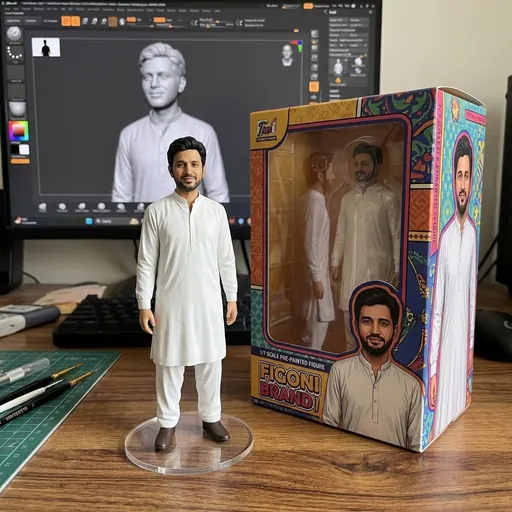
 Photo · Gemini
Turn the person in my photo into a realistic 1/7 scale collectible figurine standing on a round clear acrylic base, placed on a wooden computer desk. Behind it, the computer screen shows the 3D model of the figurine being designed, and next to it is a colourful toy box printed with the same character. Keep the face exactly like my photo. Soft indoor light, sharp detail.
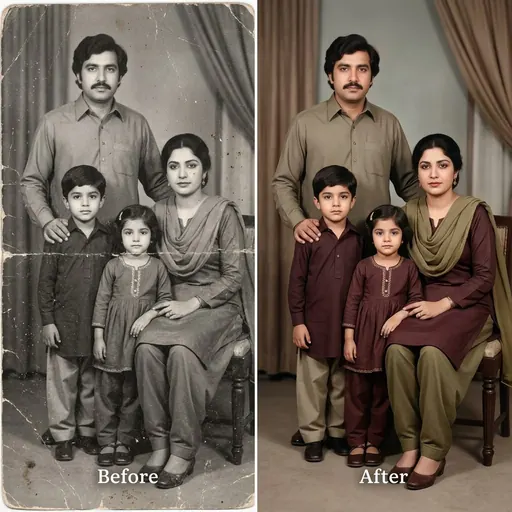 Photo · Gemini
Restore this old photo: remove scratches, folds, stains and dust, fix faded areas, sharpen the faces gently and add natural colours. Keep every face, expression and the clothes exactly as they are. Do not add or remove people. Make it look like a clean photo taken with a good camera at that time.
 Photo · Gemini
Restyle my photo as a 1990s film poster portrait: the same person in classic desi clothes (a chiffon dupatta and embroidered suit, or a crisp kurta), golden-hour light, soft film grain, warm faded colours and a hand-painted poster background. Keep the face exactly like my photo. No text and no logos.
 Photo · Gemini
I am attaching two photos: me now, and me as a child. Make one Polaroid-style photo of my present self hugging my younger self, both smiling, with a plain white curtain behind. White Polaroid border, slight flash, soft natural colours. Keep both faces exactly like the photos.
 Photo · Gemini
Turn my photo into a professional profile photo: the same person in a neat dark suit or formal shalwar kameez, plain light grey background, soft studio lighting, shoulders up, looking at the camera with a friendly smile. Keep the face, skin tone and hair exactly like my photo. Square image.
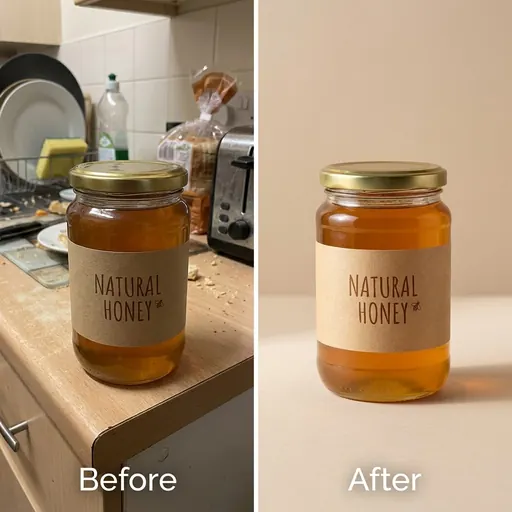 Photo · Gemini
Take the product in my photo and place it on a clean studio background in a soft beige colour, with a gentle shadow under it and soft light from the left, like a professional online-shop photo. Keep the product's shape, colours, label and text exactly the same. Square image, product in the centre.