 Photo · Gemini
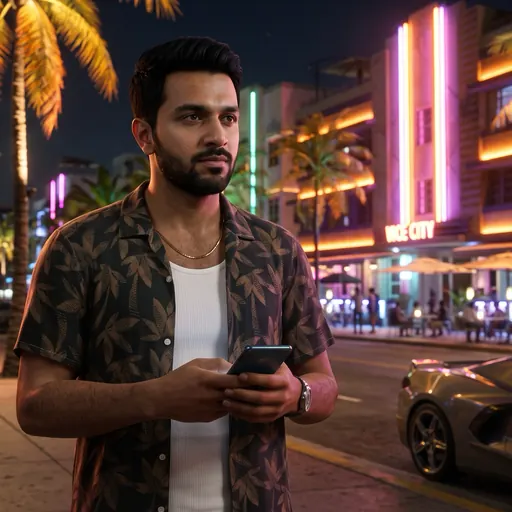
Put me in GTA 6 as the main character on Ocean Drive. Use the face from my attached photo. Keep my face, hair and skin tone exactly the same so it is clearly me. Make it look like a real GTA 6 in-game screenshot: Grand Theft Auto VI photoreal next-gen graphics, cinematic lighting, shallow depth of field, rich colour grade, not a cartoon or drawing. GTA 6 scene: Vice City at night, I stand on a neon-lit Ocean Drive pavement outside a palm-lined art-deco hotel, pink and purple neon signs, warm street lights, a sports car parked behind me. I wear an open short-sleeved floral shirt over a white vest, a thin gold chain and a watch, holding a phone, waist up, looking slightly off camera. Wide 16:9 frame, face in the centre. No text, no logos, no weapons. If I also attached a GTA 6 screenshot, copy its look exactly, but use it only for the style, not its people.
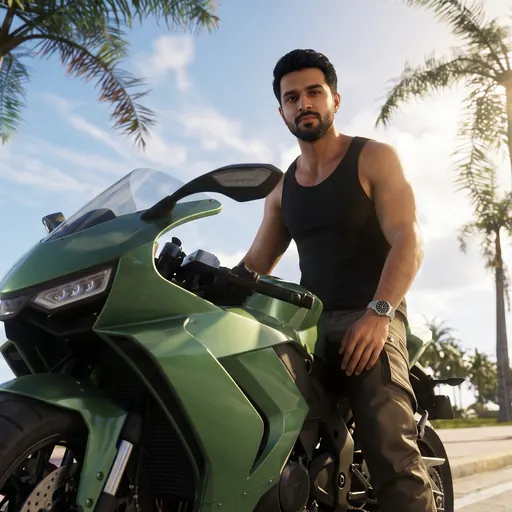 Photo · Gemini
Put me in GTA 6 as the main character, riding through Vice City. Use the face from my attached photo. Keep my face, hair and skin tone exactly the same so it is clearly me. Make it look like a real GTA 6 in-game screenshot: Grand Theft Auto VI photoreal next-gen graphics, cinematic lighting, shallow depth of field, rich colour grade, not a cartoon or drawing. GTA 6 scene: a bright sunny afternoon on a palm-lined Vice City street, I sit on a glossy green sports motorbike with one foot on the ground, wearing a black tank top, cargo trousers and a silver watch, shot from a low angle with the sun flaring through the palms. Wide 16:9 frame, face in the centre. No text, no logos, no weapons. If I also attached a GTA 6 screenshot, copy its look exactly, but use it only for the style, not its people.
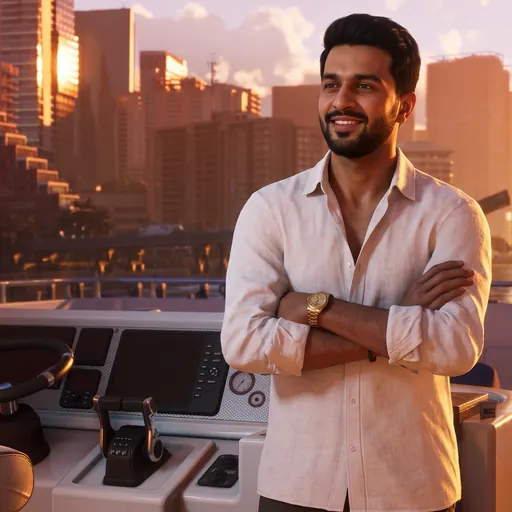 Photo · Gemini
Put me in GTA 6 as a rich Vice City boss on his yacht. Use the face from my attached photo. Keep my face, hair and skin tone exactly the same so it is clearly me. Make it look like a real GTA 6 in-game screenshot: Grand Theft Auto VI photoreal next-gen graphics, cinematic lighting, shallow depth of field, rich colour grade, not a cartoon or drawing. GTA 6 scene: golden hour on the deck of a white luxury yacht in Vice City harbour, I stand at the helm with my arms crossed, white linen shirt open at the collar, a gold watch, relaxed confident smile, glass towers of Vice City glowing orange behind me. Wide 16:9 frame, face in the centre. No text, no logos, no weapons. If I also attached a GTA 6 screenshot, copy its look exactly, but use it only for the style, not its people.
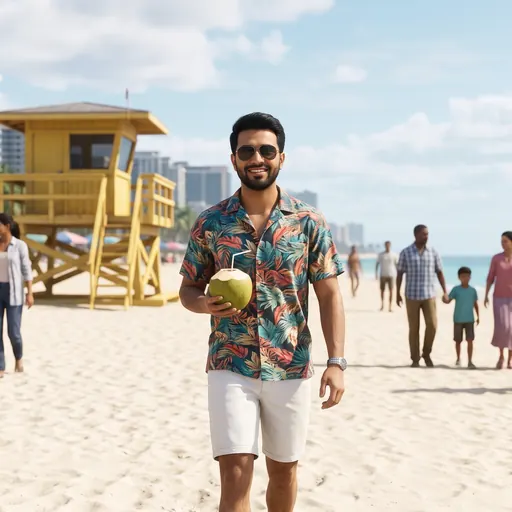 Photo · Gemini
Put me in GTA 6 on Vice Beach. Use the face from my attached photo. Keep my face, hair and skin tone exactly the same so it is clearly me. Make it look like a real GTA 6 in-game screenshot: Grand Theft Auto VI photoreal next-gen graphics, cinematic lighting, shallow depth of field, rich colour grade, not a cartoon or drawing. GTA 6 scene: noon on Vice Beach, white sand and turquoise sea, a yellow wooden lifeguard tower, beach umbrellas, families in casual summer clothes (nobody in swimwear) walking far behind, and Vice City hotels behind. I walk towards the camera in a colourful printed short-sleeved shirt, white shorts and aviator sunglasses, holding a cold coconut drink, big relaxed smile. Wide 16:9 frame, face in the centre. No text, no logos, no weapons. If I also attached a GTA 6 screenshot, copy its look exactly, but use it only for the style, not its people.
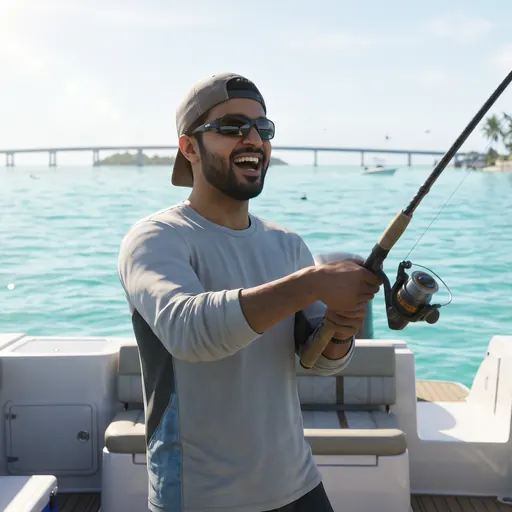 Photo · Gemini
Put me in GTA 6 in the Leonida Keys. Use the face from my attached photo. Keep my face, hair and skin tone exactly the same so it is clearly me. Make it look like a real GTA 6 in-game screenshot: Grand Theft Auto VI photoreal next-gen graphics, cinematic lighting, shallow depth of field, rich colour grade, not a cartoon or drawing. GTA 6 scene: a sunny morning on a white speedboat in the clear turquoise shallows of the Leonida Keys, small green islands and a long bridge behind, I stand at the back of the boat holding a fishing rod with a big catch on the line, wearing a light long-sleeved fishing shirt, a cap and wraparound sunglasses, laughing. Wide 16:9 frame, face in the centre. No text, no logos, no weapons. If I also attached a GTA 6 screenshot, copy its look exactly, but use it only for the style, not its people.
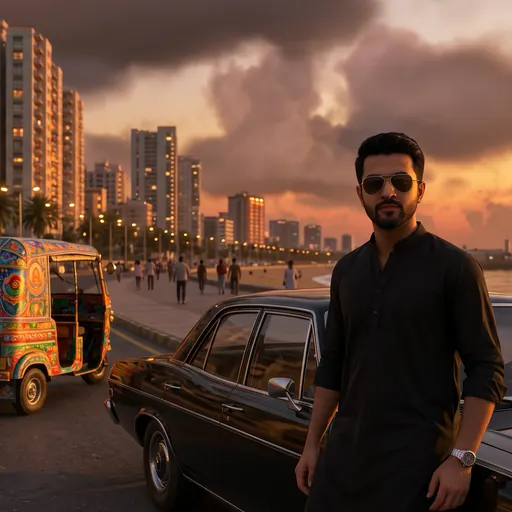 Photo · Gemini
Put me in GTA 6 as the main character, as if GTA 6 had a Karachi map. Use the face from my attached photo. Keep my face, hair and skin tone exactly the same so it is clearly me. Make it look like a real GTA 6 in-game screenshot: Grand Theft Auto VI photoreal next-gen graphics, cinematic lighting, shallow depth of field, rich colour grade, not a cartoon or drawing. GTA 6 scene: sunset on the Sea View beach road in Karachi, the Clifton glass towers glowing orange, palm trees, the Arabian Sea on one side, a colourful truck-art rickshaw and a shiny black classic car parked behind me, warm street lights coming on. I wear a crisp black kurta with the sleeves rolled up, a silver watch and aviator sunglasses, leaning on the car, confident. Premium and glamorous, nothing run-down. Wide 16:9 frame, face in the centre. No text, no logos, no weapons. If I also attached a GTA 6 screenshot, copy its look exactly, but use it only for the style, not its people.