 Photo · Gemini
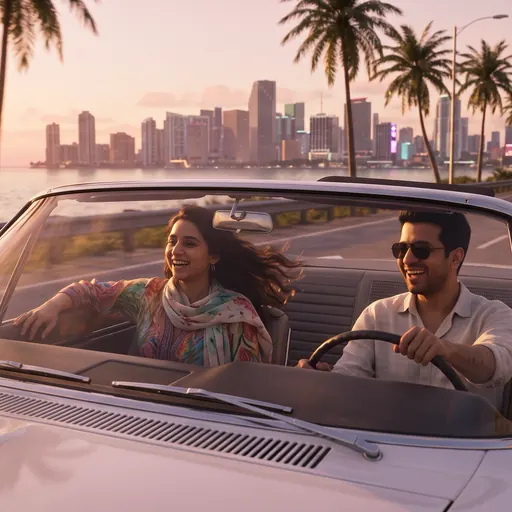
Put us in GTA 6 as a couple cruising through Vice City in a convertible. Use the face from my attached photo. Keep both of our faces, hair and skin tones exactly the same so it is clearly us. Make it look like a real GTA 6 in-game screenshot: Grand Theft Auto VI photoreal next-gen graphics, cinematic lighting, shallow depth of field, rich colour grade, not a cartoon or drawing. GTA 6 scene: sunset on a palm-lined Vice City highway by the sea, the two of us in a shiny white classic convertible with the top down, the man driving with one hand on the wheel in a light linen shirt and sunglasses, the woman beside him in a flowing printed long dress and a light scarf, both laughing, the warm wind in our hair, pink-orange sky and Vice City towers far behind. Wide 16:9 frame, face in the centre. No text, no logos, no weapons. If I also attached a GTA 6 screenshot, copy its look exactly, but use it only for the style, not its people.
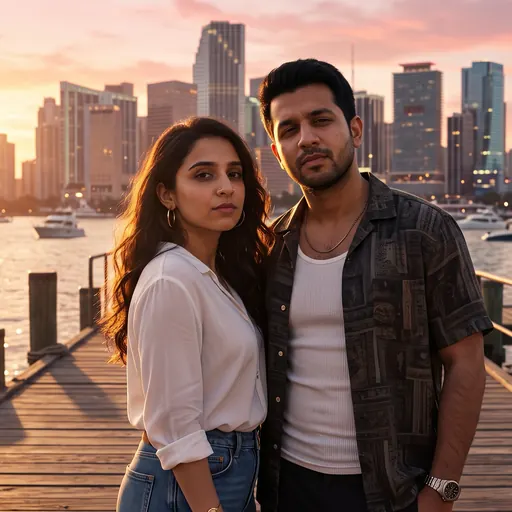 Photo · Gemini
Put us in GTA 6 as the two main characters, side by side at sunset. Use the face from my attached photo. Keep both of our faces, hair and skin tones exactly the same so it is clearly us. Make it look like a real GTA 6 in-game screenshot: Grand Theft Auto VI photoreal next-gen graphics, cinematic lighting, shallow depth of field, rich colour grade, not a cartoon or drawing. GTA 6 scene: golden hour on a wooden pier over the Vice City bay, the two of us stand side by side and look at the camera, the man in an open short-sleeved shirt over a white vest and a watch, the woman in a white long-sleeved blouse, high-waisted jeans and gold hoop earrings, both cool and confident, boats, palm trees and the glowing Vice City skyline across the water behind us. Wide 16:9 frame, face in the centre. No text, no logos, no weapons. If I also attached a GTA 6 screenshot, copy its look exactly, but use it only for the style, not its people.
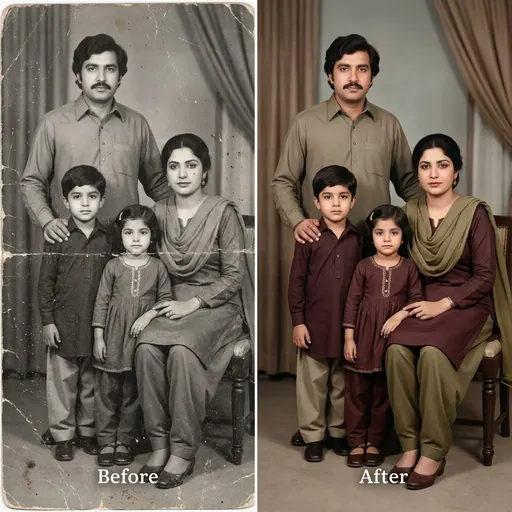 Photo · Gemini
Restore this old photo: remove scratches, folds, stains and dust, fix faded areas, sharpen the faces gently and add natural colours. Keep every face, expression and the clothes exactly as they are. Do not add or remove people. Make it look like a clean photo taken with a good camera at that time.
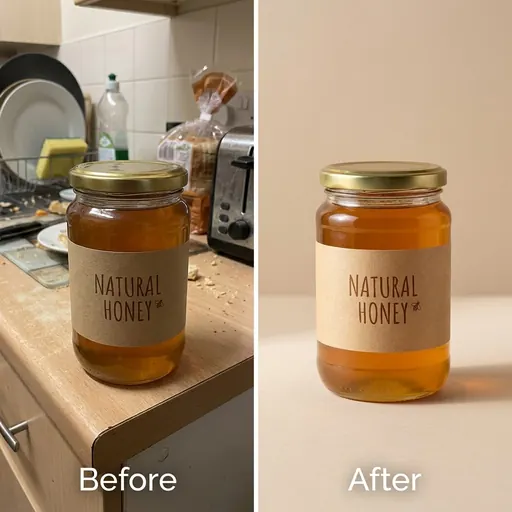 Photo · Gemini
Take the product in my photo and place it on a clean studio background in a soft beige colour, with a gentle shadow under it and soft light from the left, like a professional online-shop photo. Keep the product's shape, colours, label and text exactly the same. Square image, product in the centre.
 Photo · Gemini
Turn the people in my photo into a cute 3D caricature with slightly big heads and small bodies, smooth shiny skin like a toy, the same clothes and colours, standing on a simple pastel background. Keep each face clearly recognisable.
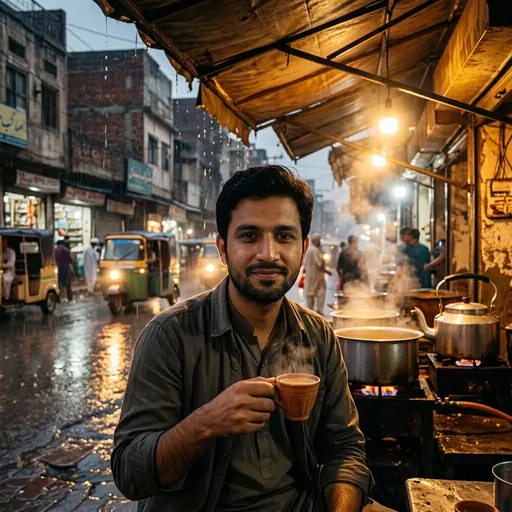 Photo · Gemini
Place the person in my photo at a roadside chai dhaba on a rainy evening in an old Pakistani city street, holding a cup of steaming chai, warm light from the dhaba, rain drops and reflections on the road, cinematic film look. Keep the face exactly like my photo.
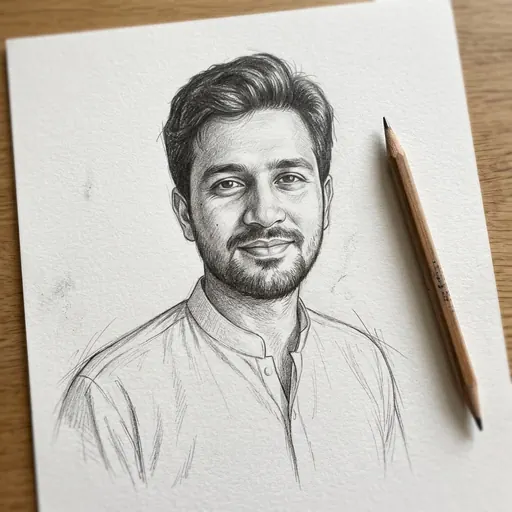 Photo · Gemini
Turn my photo into a realistic hand-drawn pencil sketch on textured white paper: fine graphite lines, soft shading, a few loose strokes at the edges, and a pencil lying beside the drawing. Keep the face clearly recognisable.
 Photo · Gemini
Show the person in my photo at about 70 years old: grey hair, natural wrinkles and laugh lines, the same face shape, eyes and smile, in the same clothes and setting. Realistic and kind, not scary. Keep them clearly recognisable.
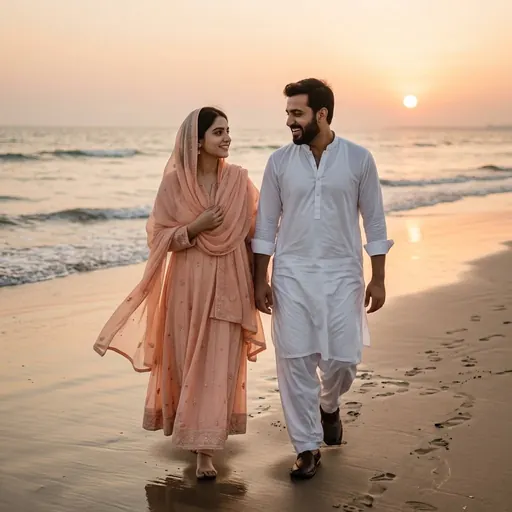 Photo · Gemini
I am attaching a photo of us. Make a romantic but modest couple portrait: the two of us walking side by side on a beach at sunset, in elegant traditional clothes, smiling at each other, soft golden light and gentle waves. Keep both faces exactly like the photo.