
Class timetable maker
The week's periods and subjects on one clean sheet, free in the Sitey app.
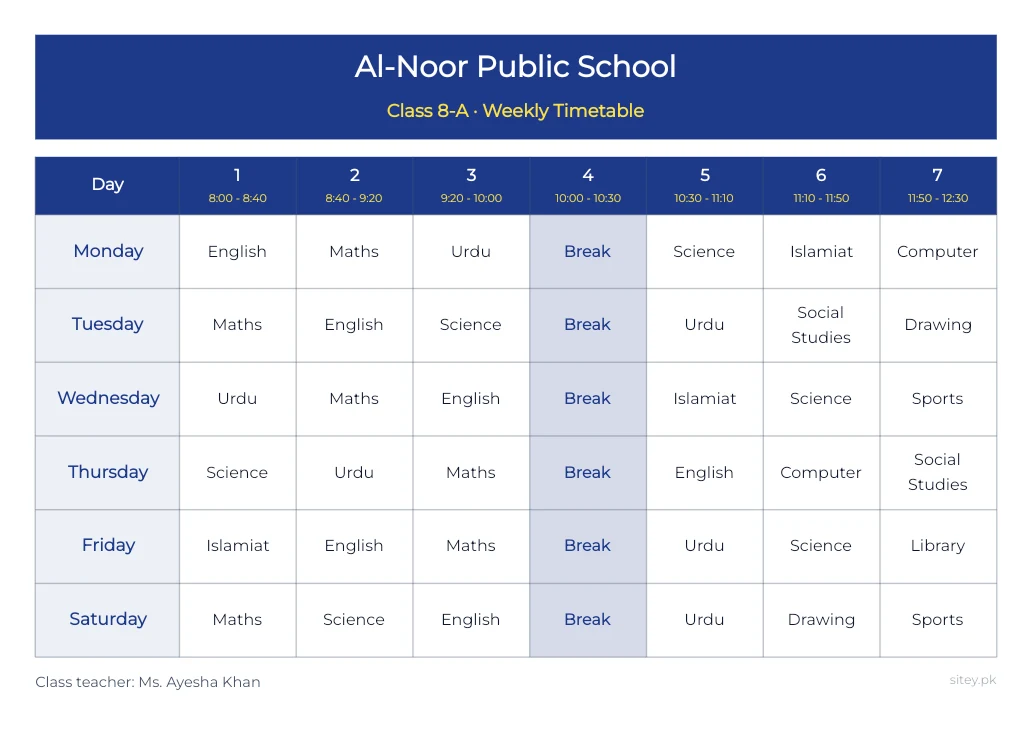
How to make one
- Install the Sitey app from Google Play, free.
- Open Class timetable maker.
- Type the time of each period, then each day's subjects.
- Write Break where the break is: that box is shaded.
- Save the PDF to print, or send the picture on WhatsApp.
Good to know
- Up to 8 periods a day, any days of the week.
- Wide or tall A4, or a WhatsApp picture.
- Urdu or English; an Urdu timetable runs right to left.
- Three colours: blue, green and maroon.
- Works without internet.
Questions
No. The class timetable maker is only in the Sitey app.
Yes. Every tool in the app is free.
Yes. Save the PDF and print it on A4.
Yes. Change the class name and the subjects, and save again.

