 Photo · Gemini
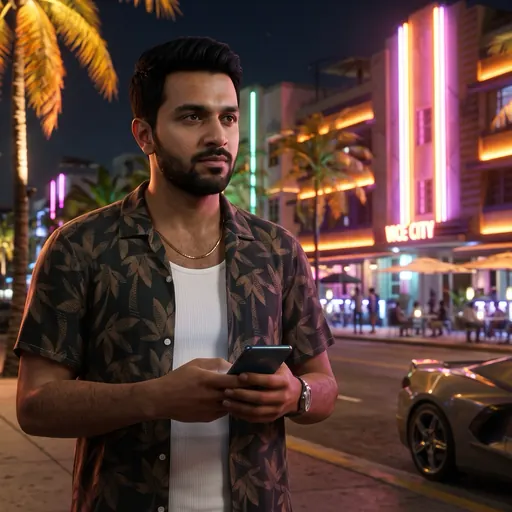
Put me in GTA 6 as the main character on Ocean Drive. Use the face from my attached photo. Keep my face, hair and skin tone exactly the same so it is clearly me. Make it look like a real GTA 6 in-game screenshot: Grand Theft Auto VI photoreal next-gen graphics, cinematic lighting, shallow depth of field, rich colour grade, not a cartoon or drawing. GTA 6 scene: Vice City at night, I stand on a neon-lit Ocean Drive pavement outside a palm-lined art-deco hotel, pink and purple neon signs, warm street lights, a sports car parked behind me. I wear an open short-sleeved floral shirt over a white vest, a thin gold chain and a watch, holding a phone, waist up, looking slightly off camera. Wide 16:9 frame, face in the centre. No text, no logos, no weapons. If I also attached a GTA 6 screenshot, copy its look exactly, but use it only for the style, not its people.
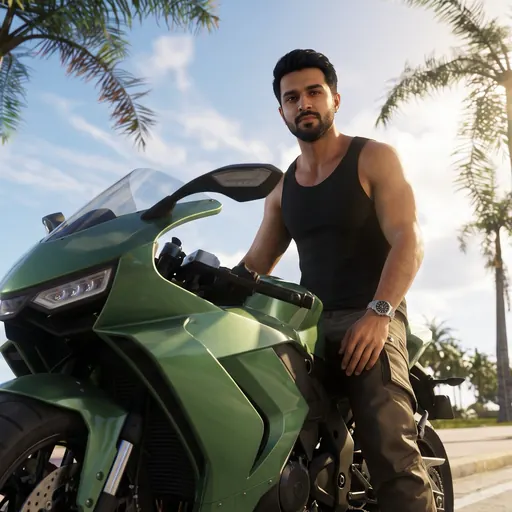 Photo · Gemini
Put me in GTA 6 as the main character, riding through Vice City. Use the face from my attached photo. Keep my face, hair and skin tone exactly the same so it is clearly me. Make it look like a real GTA 6 in-game screenshot: Grand Theft Auto VI photoreal next-gen graphics, cinematic lighting, shallow depth of field, rich colour grade, not a cartoon or drawing. GTA 6 scene: a bright sunny afternoon on a palm-lined Vice City street, I sit on a glossy green sports motorbike with one foot on the ground, wearing a black tank top, cargo trousers and a silver watch, shot from a low angle with the sun flaring through the palms. Wide 16:9 frame, face in the centre. No text, no logos, no weapons. If I also attached a GTA 6 screenshot, copy its look exactly, but use it only for the style, not its people.
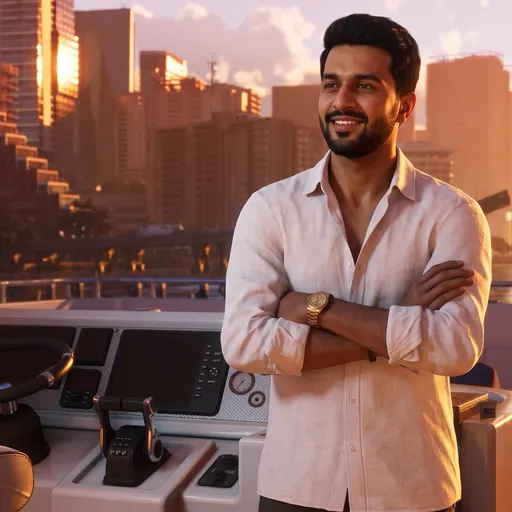 Photo · Gemini
Put me in GTA 6 as a rich Vice City boss on his yacht. Use the face from my attached photo. Keep my face, hair and skin tone exactly the same so it is clearly me. Make it look like a real GTA 6 in-game screenshot: Grand Theft Auto VI photoreal next-gen graphics, cinematic lighting, shallow depth of field, rich colour grade, not a cartoon or drawing. GTA 6 scene: golden hour on the deck of a white luxury yacht in Vice City harbour, I stand at the helm with my arms crossed, white linen shirt open at the collar, a gold watch, relaxed confident smile, glass towers of Vice City glowing orange behind me. Wide 16:9 frame, face in the centre. No text, no logos, no weapons. If I also attached a GTA 6 screenshot, copy its look exactly, but use it only for the style, not its people.
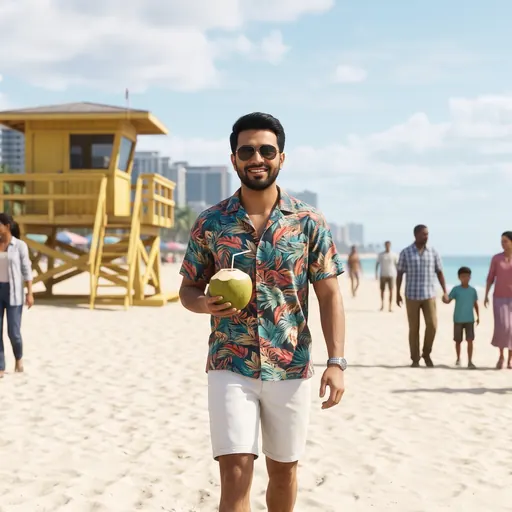 Photo · Gemini
Put me in GTA 6 on Vice Beach. Use the face from my attached photo. Keep my face, hair and skin tone exactly the same so it is clearly me. Make it look like a real GTA 6 in-game screenshot: Grand Theft Auto VI photoreal next-gen graphics, cinematic lighting, shallow depth of field, rich colour grade, not a cartoon or drawing. GTA 6 scene: noon on Vice Beach, white sand and turquoise sea, a yellow wooden lifeguard tower, beach umbrellas, families in casual summer clothes (nobody in swimwear) walking far behind, and Vice City hotels behind. I walk towards the camera in a colourful printed short-sleeved shirt, white shorts and aviator sunglasses, holding a cold coconut drink, big relaxed smile. Wide 16:9 frame, face in the centre. No text, no logos, no weapons. If I also attached a GTA 6 screenshot, copy its look exactly, but use it only for the style, not its people.
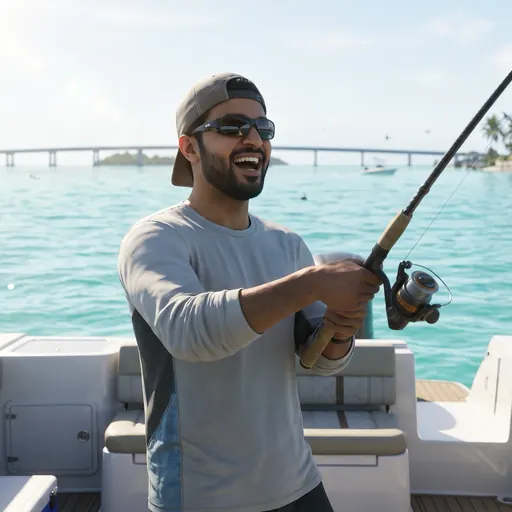 Photo · Gemini
Put me in GTA 6 in the Leonida Keys. Use the face from my attached photo. Keep my face, hair and skin tone exactly the same so it is clearly me. Make it look like a real GTA 6 in-game screenshot: Grand Theft Auto VI photoreal next-gen graphics, cinematic lighting, shallow depth of field, rich colour grade, not a cartoon or drawing. GTA 6 scene: a sunny morning on a white speedboat in the clear turquoise shallows of the Leonida Keys, small green islands and a long bridge behind, I stand at the back of the boat holding a fishing rod with a big catch on the line, wearing a light long-sleeved fishing shirt, a cap and wraparound sunglasses, laughing. Wide 16:9 frame, face in the centre. No text, no logos, no weapons. If I also attached a GTA 6 screenshot, copy its look exactly, but use it only for the style, not its people.
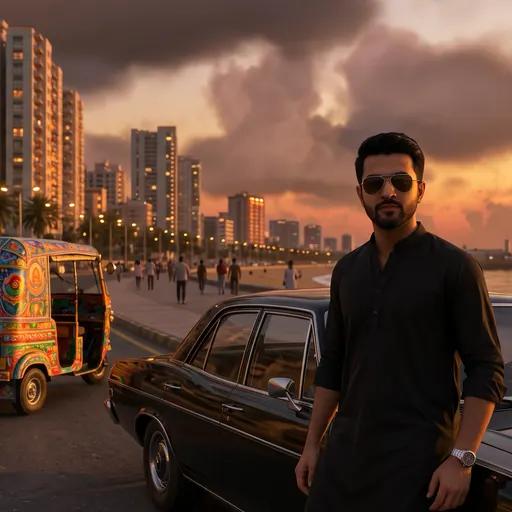 Photo · Gemini
Put me in GTA 6 as the main character, as if GTA 6 had a Karachi map. Use the face from my attached photo. Keep my face, hair and skin tone exactly the same so it is clearly me. Make it look like a real GTA 6 in-game screenshot: Grand Theft Auto VI photoreal next-gen graphics, cinematic lighting, shallow depth of field, rich colour grade, not a cartoon or drawing. GTA 6 scene: sunset on the Sea View beach road in Karachi, the Clifton glass towers glowing orange, palm trees, the Arabian Sea on one side, a colourful truck-art rickshaw and a shiny black classic car parked behind me, warm street lights coming on. I wear a crisp black kurta with the sleeves rolled up, a silver watch and aviator sunglasses, leaning on the car, confident. Premium and glamorous, nothing run-down. Wide 16:9 frame, face in the centre. No text, no logos, no weapons. If I also attached a GTA 6 screenshot, copy its look exactly, but use it only for the style, not its people.
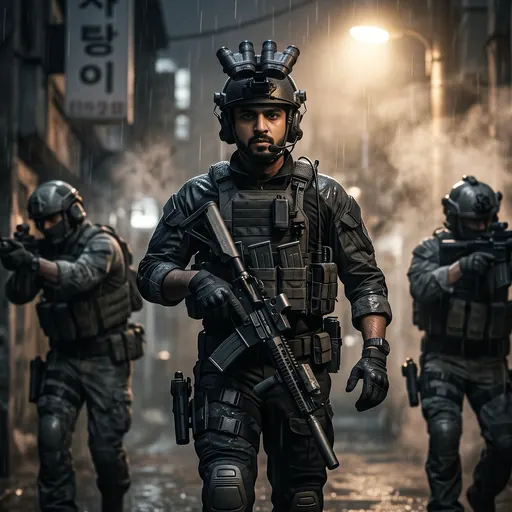 Photo · Gemini
Put me in Call of Duty: Modern Warfare 4 (MW4) as the squad leader. Use the face from my attached photo. Keep my face, hair and skin tone exactly the same so it is clearly me, face fully visible with no mask. Make it look like a real MW4 in-game screenshot: Modern Warfare 4 photoreal next-gen graphics, gritty cinematic lighting, cool desaturated colour grade, light film grain, not a cartoon or drawing. MW4 scene: night, a narrow rain-wet alley in a Korean city, steam and a single hard light behind, I walk towards the camera in full black tactical gear, plate carrier with pouches, gloves and a headset, a helmet with four-tube night-vision goggles flipped up, rifle slung across my chest, two squad mates in helmets slightly behind me out of focus. Any rifle is held low, pointing at the ground. Wide 16:9 frame, face in the centre. No text and no logos. If I also attached an MW4 picture, copy its look and gear, but use it only for the style, not its people.
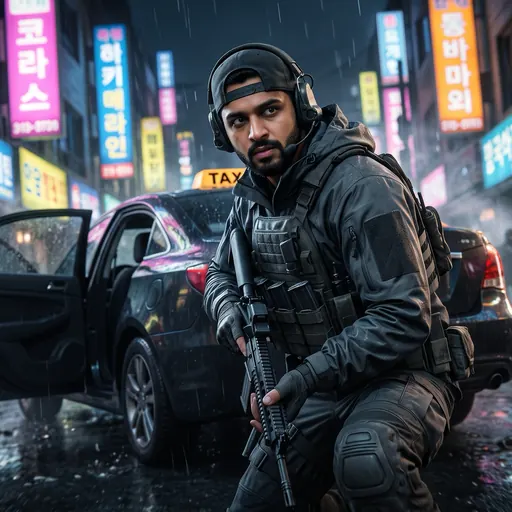 Photo · Gemini
Put me in Call of Duty: Modern Warfare 4 (MW4) in the streets of Seoul. Use the face from my attached photo. Keep my face, hair and skin tone exactly the same so it is clearly me, face fully visible with no mask. Make it look like a real MW4 in-game screenshot: Modern Warfare 4 photoreal next-gen graphics, gritty cinematic lighting, rich neon colours with a cool grade, light film grain, not a cartoon or drawing. MW4 scene: a busy Seoul shopping street at night in the rain, bright neon Korean shop signs in pink, blue and yellow, wet road reflecting the lights, an abandoned taxi with its doors open, I crouch beside it in a dark grey tactical jacket, plate carrier, fingerless gloves and a cap worn backwards with a headset over it, looking over my shoulder at the camera. Any rifle is held low, pointing at the ground. Wide 16:9 frame, face in the centre. No text and no logos. If I also attached an MW4 picture, copy its look and gear, but use it only for the style, not its people.
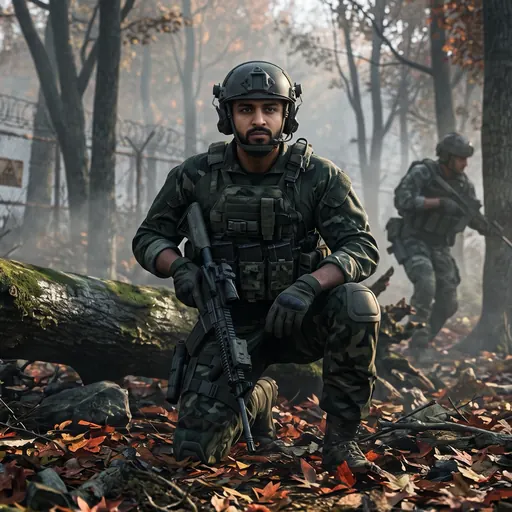 Photo · Gemini
Put me in Call of Duty: Modern Warfare 4 (MW4) on a mission in the DMZ. Use the face from my attached photo. Keep my face, hair and skin tone exactly the same so it is clearly me, face fully visible with no mask. Make it look like a real MW4 in-game screenshot: Modern Warfare 4 photoreal next-gen graphics, soft cinematic morning light, muted colour grade, light film grain, not a cartoon or drawing. MW4 scene: an autumn mountain forest on the Korean DMZ at dawn, low mist between the trees, red and orange leaves on the ground, an old rusted border fence in the background, I kneel behind a fallen tree in green woodland camouflage, plate carrier, gloves and a helmet with a headset, rifle resting across my knee, calm focused face turned towards the camera, a squad mate moving between the trees behind me. Any rifle is held low, pointing at the ground. Wide 16:9 frame, face in the centre. No text and no logos. If I also attached an MW4 picture, copy its look and gear, but use it only for the style, not its people.
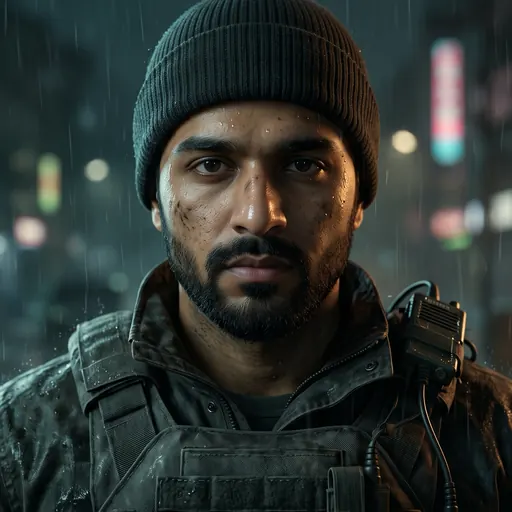 Photo · Gemini
Put me in Call of Duty: Modern Warfare 4 (MW4) as the face of the game, in a cinematic character close-up. Use the face from my attached photo. Keep my face, hair and skin tone exactly the same so it is clearly me, face fully visible with no mask. Make it look like a real MW4 in-game screenshot: Modern Warfare 4 photoreal next-gen graphics, moody cinematic lighting with one soft key light, dark teal and charcoal grade, light film grain, not a cartoon or drawing. MW4 scene: night in the rain, a tight close-up from the chest up, I wear a worn dark field jacket over a plate carrier with a radio on the shoulder, a dark beanie, rain drops and a little grime on my cheek, serious steady look straight into the camera, blurred city lights and rain behind me. No weapons in this one. Any rifle is held low, pointing at the ground. Wide 16:9 frame, face in the centre. No text and no logos. If I also attached an MW4 picture, copy its look and gear, but use it only for the style, not its people.
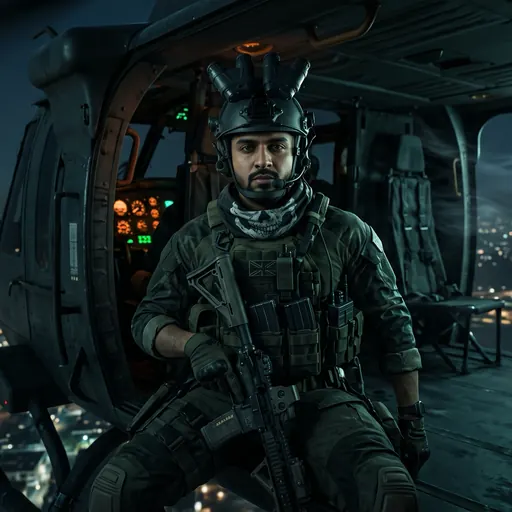 Photo · Gemini
Put me in Call of Duty: Modern Warfare 4 (MW4) as a special forces operator in a helicopter. Use the face from my attached photo. Keep my face, hair and skin tone exactly the same so it is clearly me, face fully visible with no mask. Make it look like a real MW4 in-game screenshot: Modern Warfare 4 photoreal next-gen graphics, dramatic cinematic lighting, cool blue-green night grade with warm cockpit lights, light film grain, not a cartoon or drawing. MW4 scene: night, I sit in the open side door of a military helicopter flying over a glowing city, wind in the cabin, a skull-print balaclava pulled down around my neck so my whole face shows, a helmet with four-tube night-vision goggles flipped up, olive tactical gear, gloves and a headset, rifle strapped to my chest, looking straight at the camera. Any rifle is held low, pointing at the ground. Wide 16:9 frame, face in the centre. No text and no logos. If I also attached an MW4 picture, copy its look and gear, but use it only for the style, not its people.
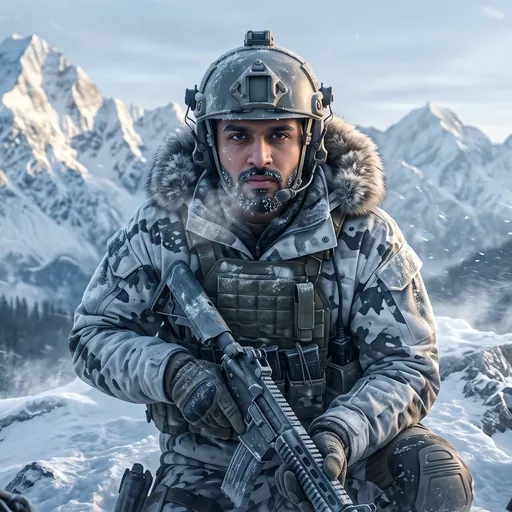 Photo · Gemini
Put me in Call of Duty: Modern Warfare 4 (MW4) on a winter mission in the mountains. Use the face from my attached photo. Keep my face, hair and skin tone exactly the same so it is clearly me, face fully visible with no mask. Make it look like a real MW4 in-game screenshot: Modern Warfare 4 photoreal next-gen graphics, cold cinematic dawn light, icy blue colour grade, light film grain, not a cartoon or drawing. MW4 scene: a snowy mountain ridge at sunrise, huge white peaks like the Karakoram behind, snow blowing in the wind, pine trees below, I crouch on the ridge in white and grey winter camouflage, a fur-lined hood down, frost in my hair, gloves and a helmet with a headset, breath steaming, looking at the camera. Any rifle is held low, pointing at the ground. Wide 16:9 frame, face in the centre. No text and no logos. If I also attached an MW4 picture, copy its look and gear, but use it only for the style, not its people.
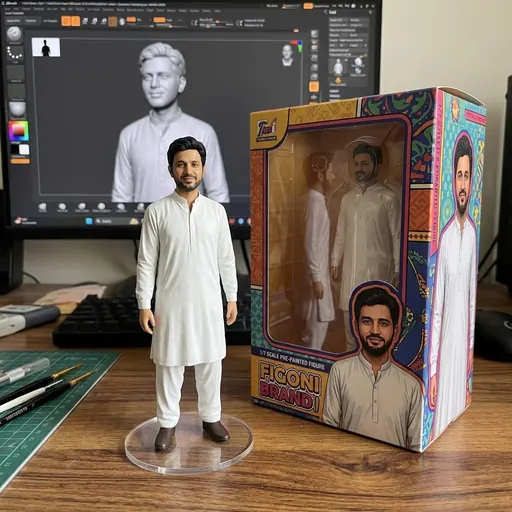 Photo · Gemini
Turn the person in my photo into a realistic 1/7 scale collectible figurine standing on a round clear acrylic base, placed on a wooden computer desk. Behind it, the computer screen shows the 3D model of the figurine being designed, and next to it is a colourful toy box printed with the same character. Keep the face exactly like my photo. Soft indoor light, sharp detail.
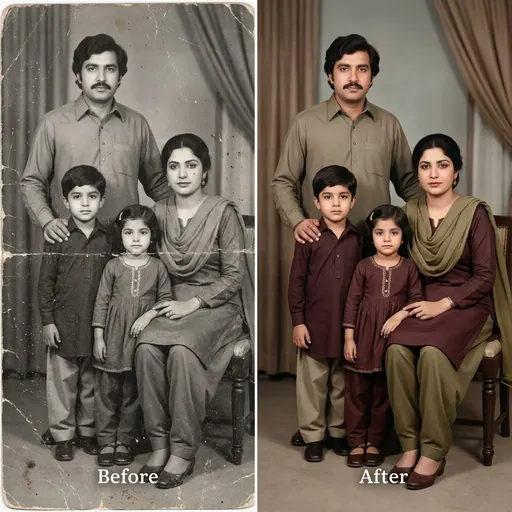 Photo · Gemini
Restore this old photo: remove scratches, folds, stains and dust, fix faded areas, sharpen the faces gently and add natural colours. Keep every face, expression and the clothes exactly as they are. Do not add or remove people. Make it look like a clean photo taken with a good camera at that time.
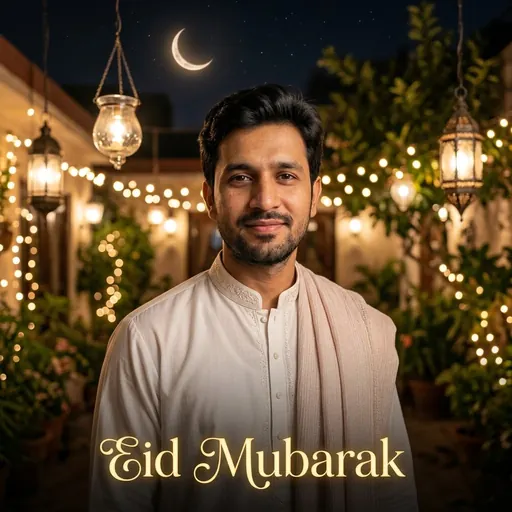 Photo · Gemini
Make an Eid portrait from my photo: the same person in elegant Eid clothes (a crisp white or pastel shalwar kameez, or an embroidered festive dress), standing in a courtyard decorated with fairy lights and lanterns at night, with a crescent moon in the sky. Warm golden light on the face. Keep the face exactly like my photo. Add the words "Eid Mubarak" in elegant gold letters at the bottom.
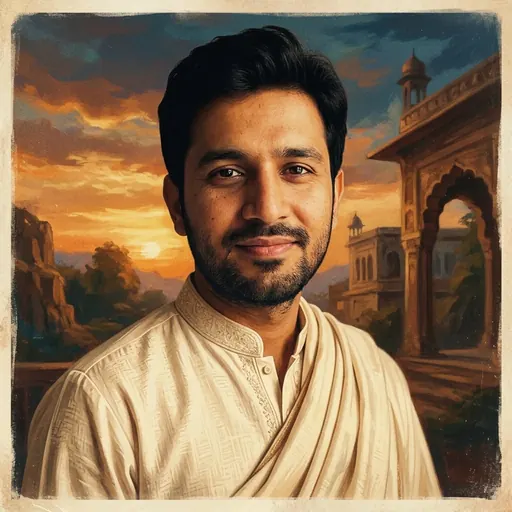 Photo · Gemini
Restyle my photo as a 1990s film poster portrait: the same person in classic desi clothes (a chiffon dupatta and embroidered suit, or a crisp kurta), golden-hour light, soft film grain, warm faded colours and a hand-painted poster background. Keep the face exactly like my photo. No text and no logos.
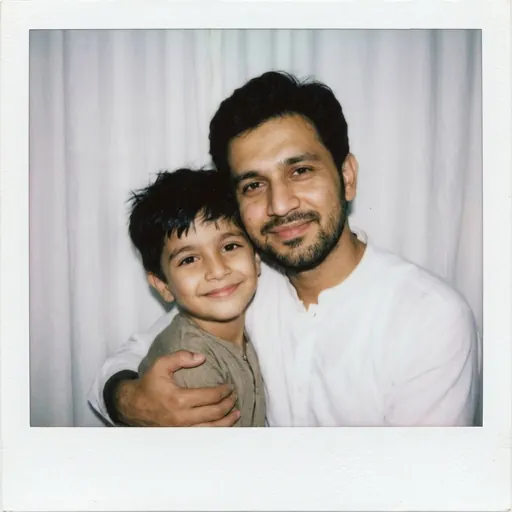 Photo · Gemini
I am attaching two photos: me now, and me as a child. Make one Polaroid-style photo of my present self hugging my younger self, both smiling, with a plain white curtain behind. White Polaroid border, slight flash, soft natural colours. Keep both faces exactly like the photos.
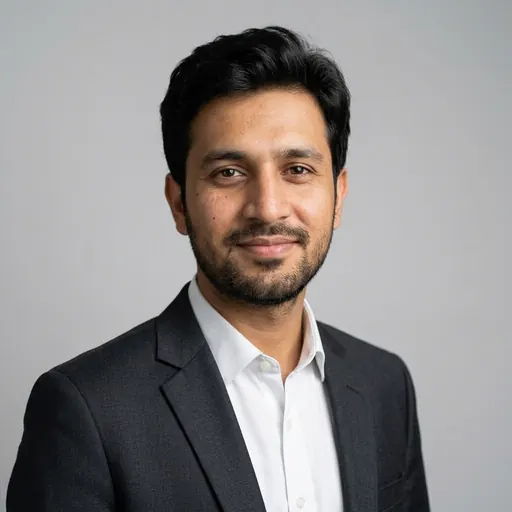 Photo · Gemini
Turn my photo into a professional profile photo: the same person in a neat dark suit or formal shalwar kameez, plain light grey background, soft studio lighting, shoulders up, looking at the camera with a friendly smile. Keep the face, skin tone and hair exactly like my photo. Square image.
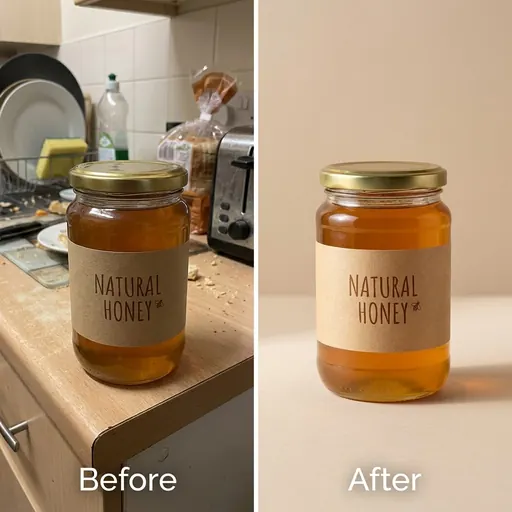 Photo · Gemini
Take the product in my photo and place it on a clean studio background in a soft beige colour, with a gentle shadow under it and soft light from the left, like a professional online-shop photo. Keep the product's shape, colours, label and text exactly the same. Square image, product in the centre.
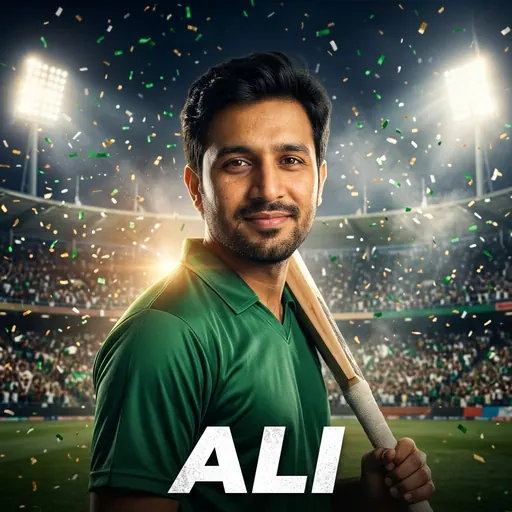 Photo · Gemini
Make a cricket poster from my photo: the same person in a plain green cricket kit with no logos, holding a bat, in a packed stadium under floodlights at night, confetti in the air. Dramatic sports-poster lighting. Keep the face exactly like my photo. Write "[Your name]" in bold white letters at the bottom.
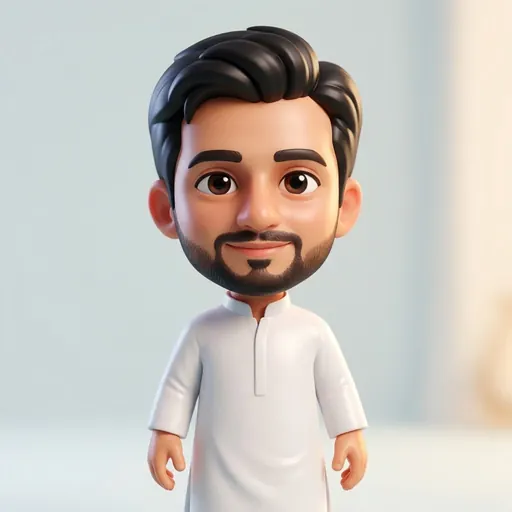 Photo · Gemini
Turn the people in my photo into a cute 3D caricature with slightly big heads and small bodies, smooth shiny skin like a toy, the same clothes and colours, standing on a simple pastel background. Keep each face clearly recognisable.
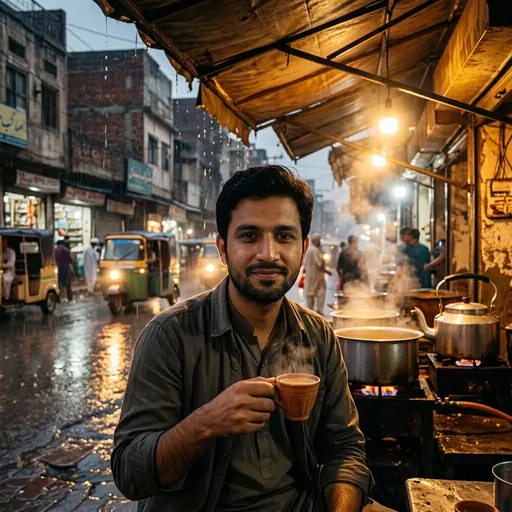 Photo · Gemini
Place the person in my photo at a roadside chai dhaba on a rainy evening in an old Pakistani city street, holding a cup of steaming chai, warm light from the dhaba, rain drops and reflections on the road, cinematic film look. Keep the face exactly like my photo.
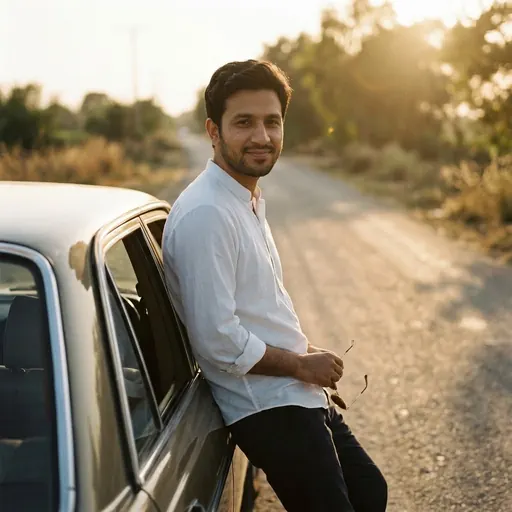 Photo · Gemini
Place the person in my photo leaning against a classic 1970s car with no badges or logos, on an empty road at golden hour. White shirt, dark trousers, sunglasses in hand. Warm cinematic film look, soft lens flare, shallow depth of field. Keep the face exactly like my photo.
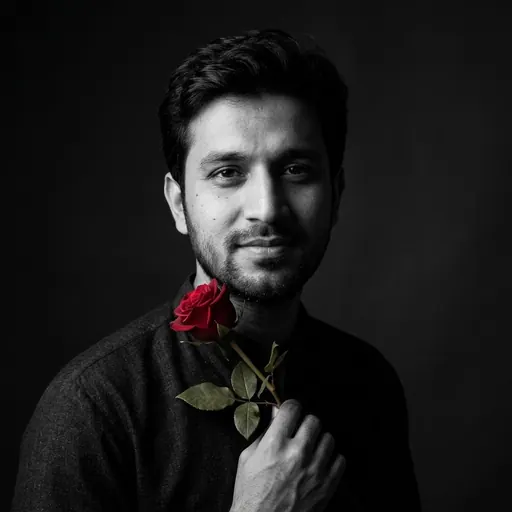 Photo · Gemini
Turn my photo into a dramatic black-and-white studio portrait: the same person in a dark outfit, holding a single red rose close to the chest. Only the rose stays in colour. Strong side light, deep shadows, plain dark background. Keep the face exactly like my photo.
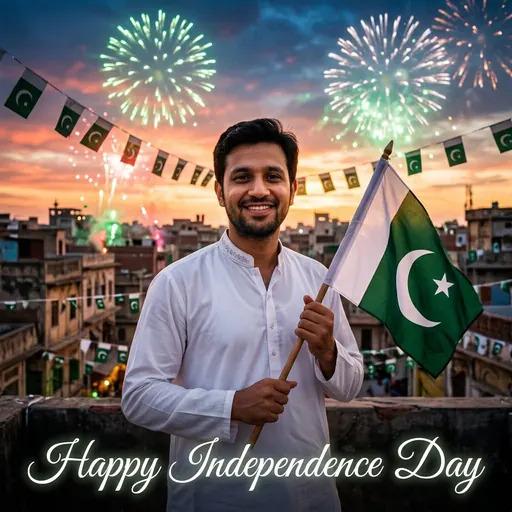 Photo · Gemini
Make a 14 August portrait from my photo: the same person in a white or green shalwar kameez, holding Pakistan's flag on a rooftop at sunset, with green and white fireworks in the sky and small flags on strings behind. Proud, happy mood. Keep the face exactly like my photo. Add "Happy Independence Day" in elegant white letters at the bottom.
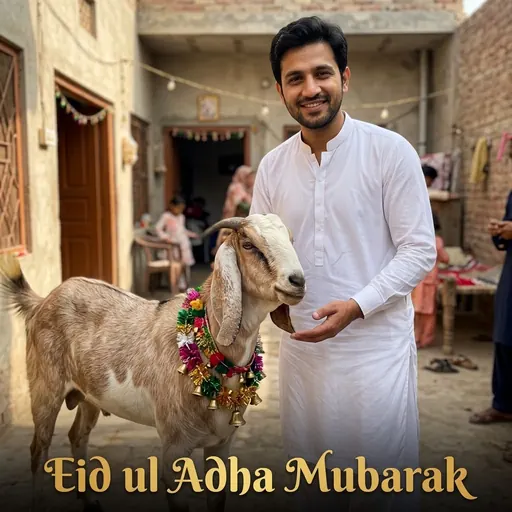 Photo · Gemini
Make a Bakra Eid photo from my photo: the same person in a crisp shalwar kameez, standing proudly next to a healthy, decorated goat with a colourful garland and small bells, in a sunny courtyard. Happy festive mood, natural colours. Keep the face exactly like my photo. Add "Eid ul Adha Mubarak" in gold letters at the bottom.
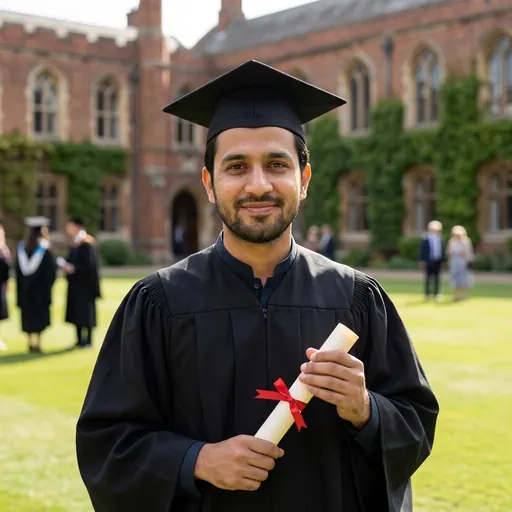 Photo · Gemini
Make a graduation portrait from my photo: the same person in a black graduation gown and cap, smiling on a green university lawn with an old red-brick building behind, holding a rolled scroll tied with a ribbon. Bright daylight. Keep the face exactly like my photo. No university names or logos.
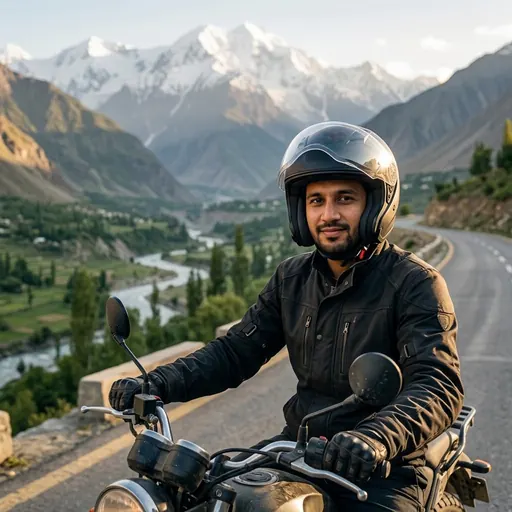 Photo · Gemini
Place the person in my photo on a motorbike with no brand logos, riding a mountain road in the north of Pakistan, snowy peaks and a green valley behind, wearing a helmet with the visor up so the face shows, a jacket and gloves. Cinematic travel photo, golden light. Keep the face exactly like my photo.
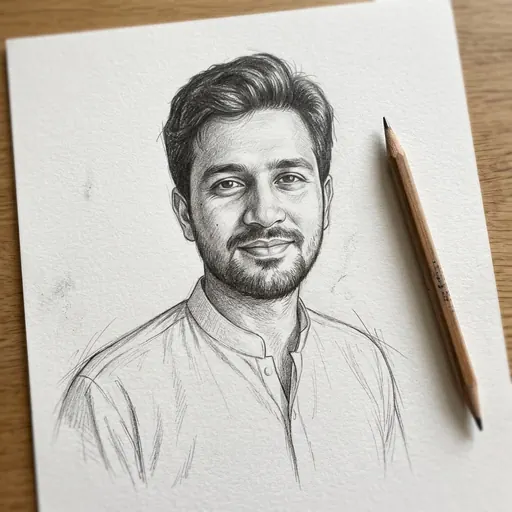 Photo · Gemini
Turn my photo into a realistic hand-drawn pencil sketch on textured white paper: fine graphite lines, soft shading, a few loose strokes at the edges, and a pencil lying beside the drawing. Keep the face clearly recognisable.
 Photo · Gemini
Redraw the person in my photo as a colourful anime-style illustration: big expressive eyes, clean line art, soft cel shading, the same hairstyle and clothes colours, against a bright sky with soft clouds. Keep them recognisable.
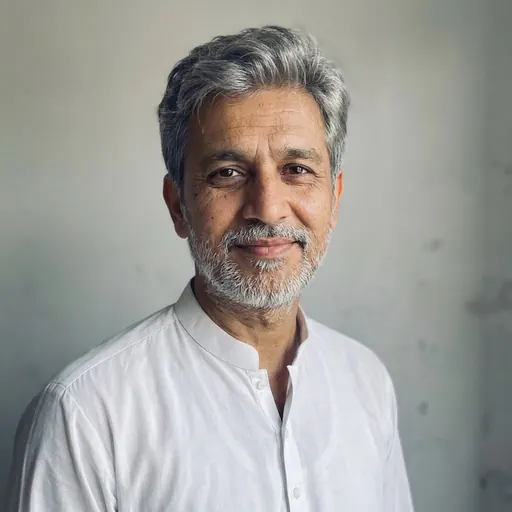 Photo · Gemini
Show the person in my photo at about 70 years old: grey hair, natural wrinkles and laugh lines, the same face shape, eyes and smile, in the same clothes and setting. Realistic and kind, not scary. Keep them clearly recognisable.
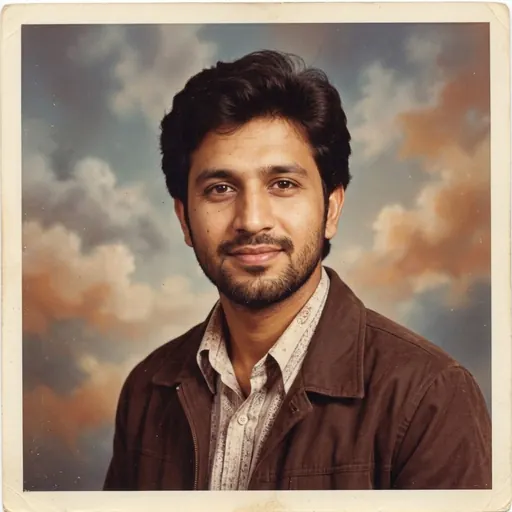 Photo · Gemini
Restyle my photo as a 1980s photo studio portrait: the same person in 1980s clothes and hairstyle, posing in front of a painted studio backdrop with soft clouds, warm faded film colours, slight grain and a white border like an old printed photo. Keep the face exactly like my photo.
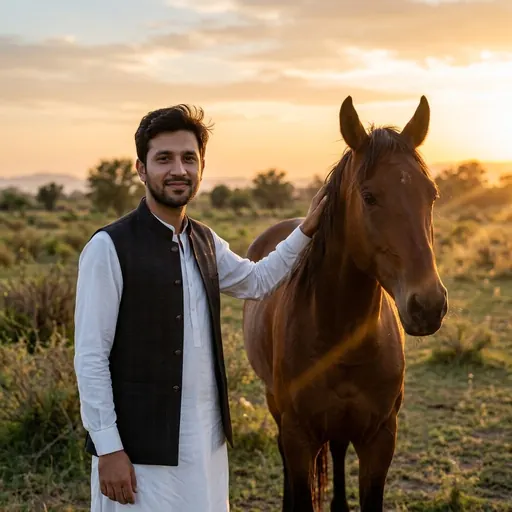 Photo · Gemini
Place the person in my photo standing beside a beautiful brown horse in an open field at sunset, one hand on the horse's neck, wearing a white shalwar kameez and a waistcoat, wind in the hair, cinematic golden light. Keep the face exactly like my photo.
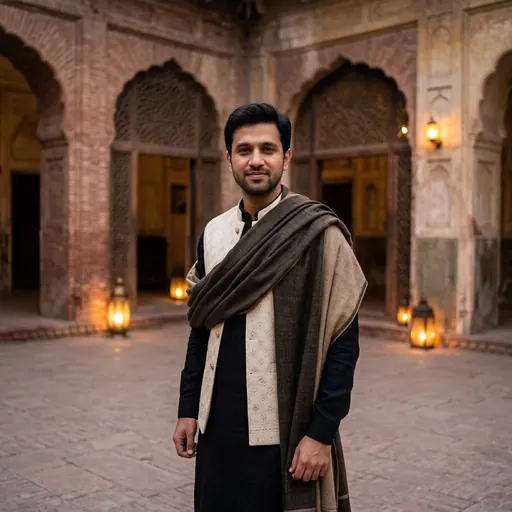 Photo · Gemini
Restyle the person in my photo in an elegant black shalwar kameez with a cream embroidered waistcoat and a shawl over one shoulder, standing in the courtyard of an old Mughal-style haveli with arches and warm lanterns. Confident pose, cinematic light. Keep the face exactly like my photo.
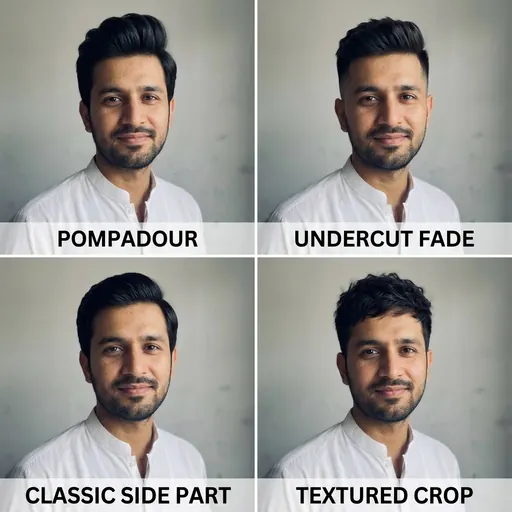 Photo · Gemini
Look at the face in my photo and tell me its shape (oval, round, square, long or heart) in one line. Then make one image in a 2x2 grid showing the same person with the four hairstyles that suit that face shape best, each labelled with its name. Keep the face exactly like my photo in every picture.
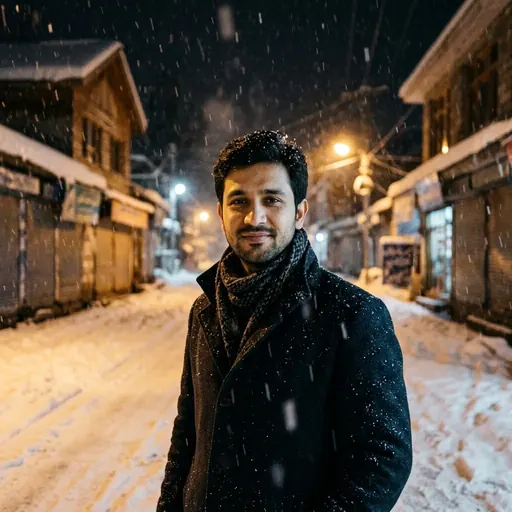 Photo · Gemini
Place the person in my photo in heavy snowfall on a quiet mountain street at night, wearing a warm long coat and a scarf, snowflakes on the hair, soft street lights glowing, cinematic winter mood. Keep the face exactly like my photo.
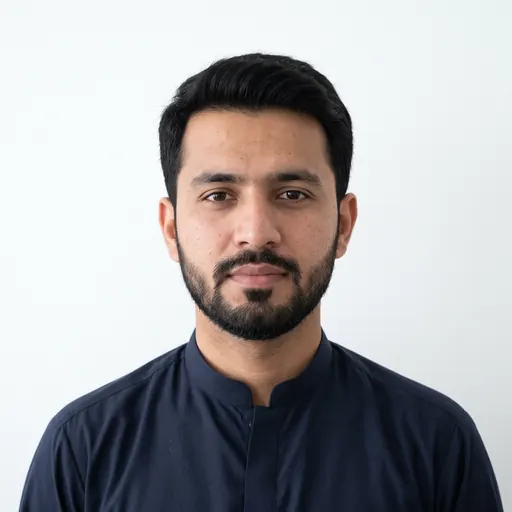 Photo · Gemini
Turn my photo into a passport-size style photo: the same person facing the camera straight on, head and top of the shoulders, a neutral expression with the mouth closed and both eyes open, a plain white background, even soft light with no shadows on the face or the background, and neat formal clothes (a plain dark shirt, suit or kameez). Keep the face, skin tone, hair and features exactly like my photo; do not smooth or beautify the face. Portrait image.
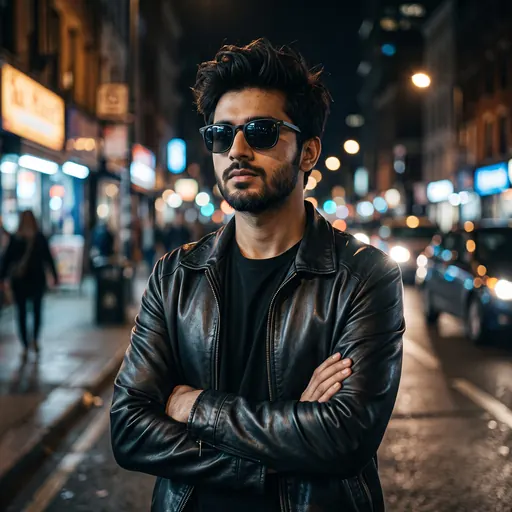 Photo · Gemini
Make a stylish attitude portrait from my photo: the same young man in a black leather jacket over a plain black T-shirt and dark sunglasses, standing on a city street at night with blurred lights behind him, arms crossed, a serious confident look, a low camera angle, dramatic side light and moody colours, sharp detail. Keep the face exactly like my photo. No text and no logos.